Microsoft Sentinel is Microsoft’s cloud‑native Security Information and Event Management (SIEM) solution. It helps security teams detect threats, investigate activity, automate responses, and keep environments protected across multicloud, on‑premises, and hybrid platforms.
Sentinel uses AI, automation, and threat intelligence to help analysts quickly identify and stop attacks with greater accuracy.
It’s built on Azure Monitor’s secure, tamper‑resistant logging foundation and supports Azure Lighthouse, letting service providers manage delegated customer environments.
1. Use Built‑In Security Content
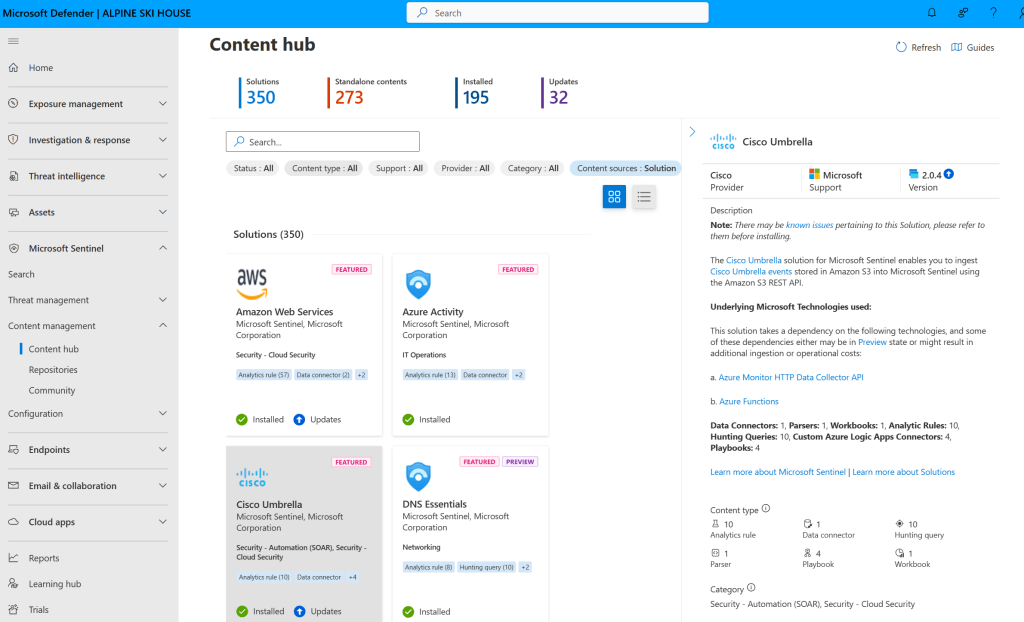
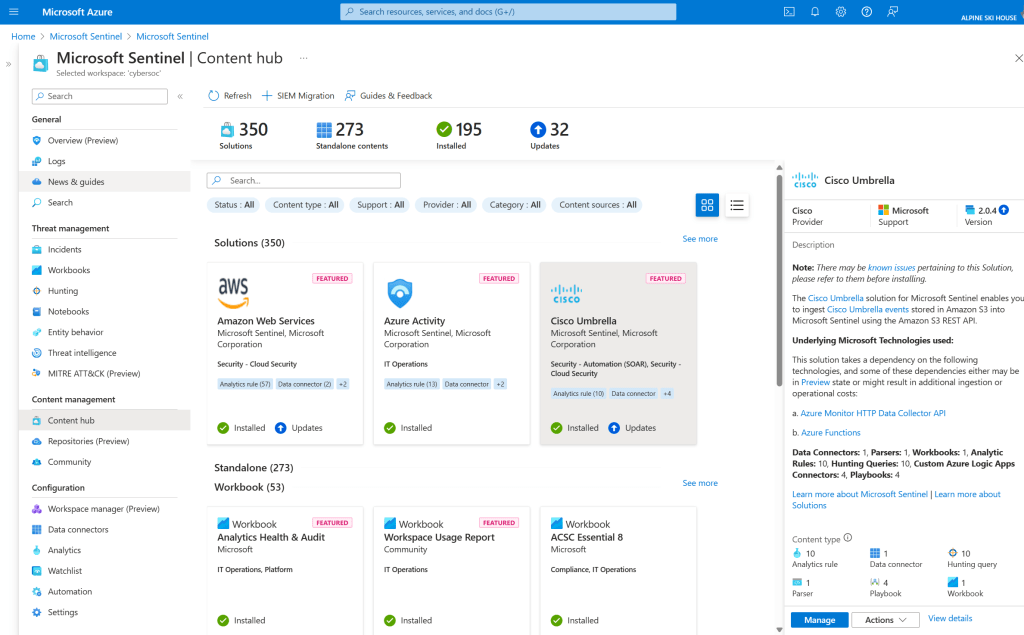
Sentinel includes pre‑packaged content called SIEM solutions. These solutions make it easy to onboard data, monitor activity, detect threats, hunt for anomalies, and integrate with a wide range of systems.
Available in:
- Defender portal
- Azure portal
Defender Portal:
Azure Portal:
More info: https://learn.microsoft.com/en-us/azure/sentinel/solutions
2. Collect Data at Scale
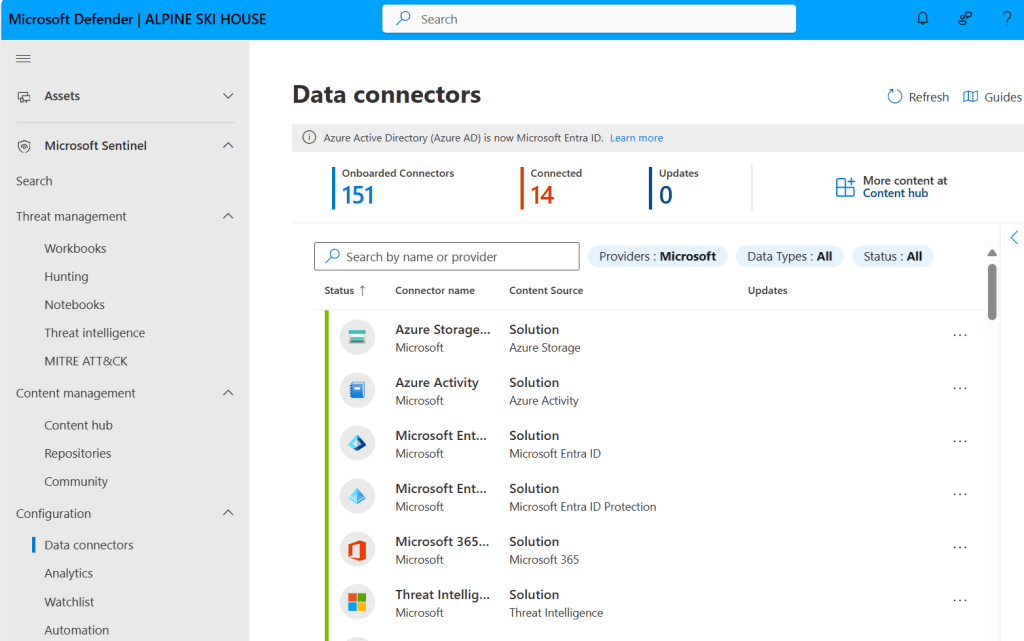
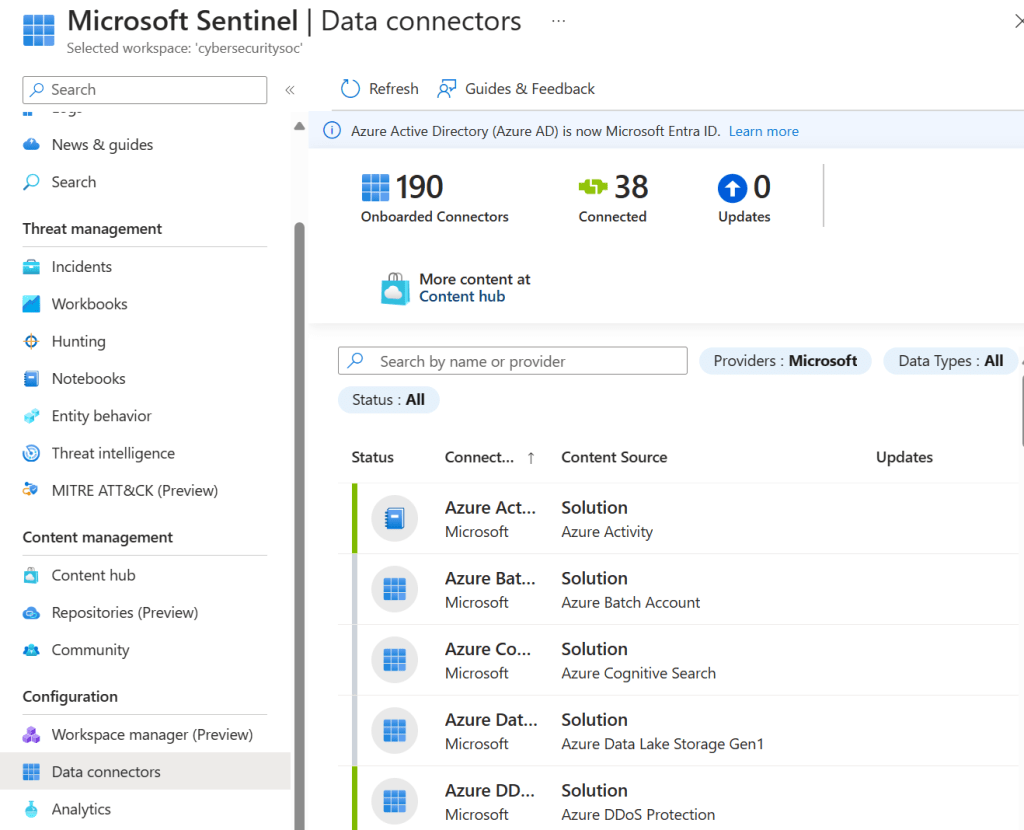
Sentinel can ingest data from almost anywhere — users, devices, apps, servers, clouds, and on‑premises environments.
Available in:
- Defender portal
- Azure portal
Defender Portal:
Azure Portal:
Key capabilities
| Capability | What it does | Link |
|---|---|---|
| Built‑in data connectors | Connect to Microsoft, Azure, and many non‑Microsoft data sources in real time. Supports CEF, Syslog, and REST API. | https://learn.microsoft.com/en-us/azure/sentinel/connect-data-sources |
| Custom connectors | Create connectors for systems that don’t have a native integration. | https://learn.microsoft.com/en-us/azure/sentinel/connect-custom-connector |
| Data normalization | Converts varied data sources into a consistent structure. | https://learn.microsoft.com/en-us/azure/sentinel/normalization |
3. Detect Threats
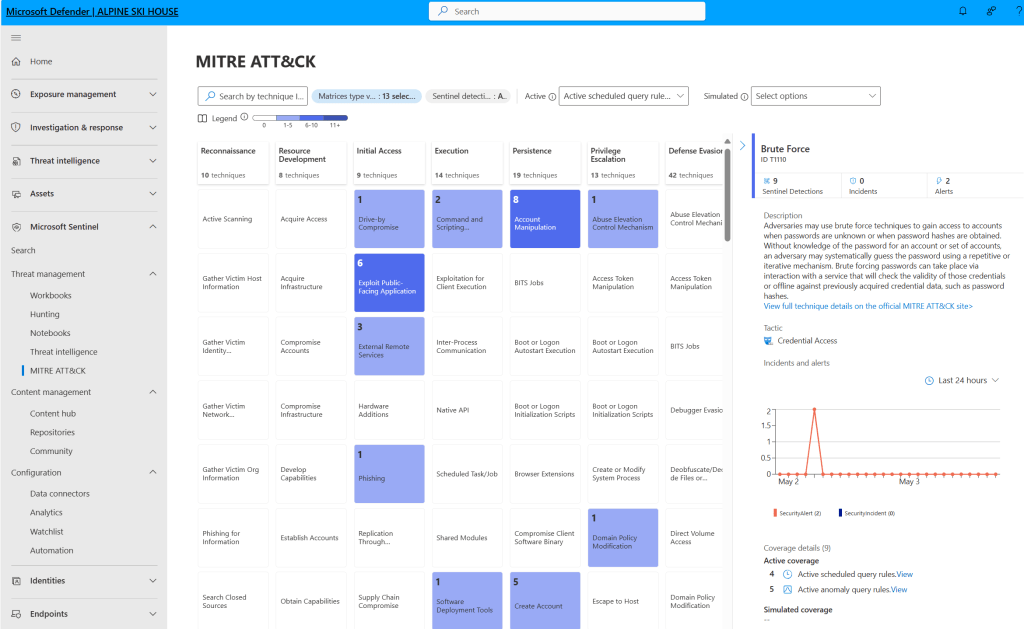
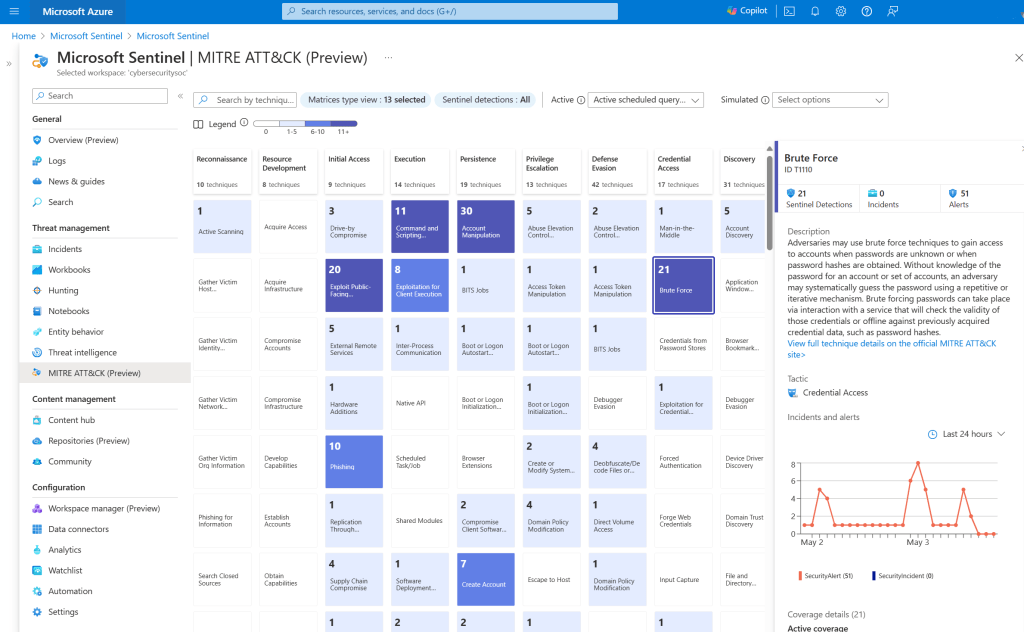
Sentinel uses analytics and Microsoft threat intelligence to surface meaningful alerts with fewer false positives.
Available in:
- Defender portal
- Azure portal
Defender Portal:
Azure Portal:
Key capabilities
| Feature | Description | Link |
|---|---|---|
| Analytics | Groups alerts into incidents and helps identify anomalies. Includes ready‑to‑use rule templates. | https://learn.microsoft.com/en-us/azure/sentinel/detect-threats-built-in |
| MITRE ATT&CK mapping | Visualizes your security coverage and detection gaps. | https://learn.microsoft.com/en-us/azure/sentinel/mitre |
| Threat intelligence integration | Uses TI feeds to enhance detection and investigations. | https://learn.microsoft.com/en-us/azure/sentinel/threat-intelligence |
| Watchlists | Upload important data lists (ex: VIP assets, terminated employees) to correlate with security events. | https://learn.microsoft.com/en-us/azure/sentinel/watchlists |
| Workbooks | Use interactive dashboards for visual insights. | https://learn.microsoft.com/en-us/azure/sentinel/workbooks |
4. Investigate Incidents
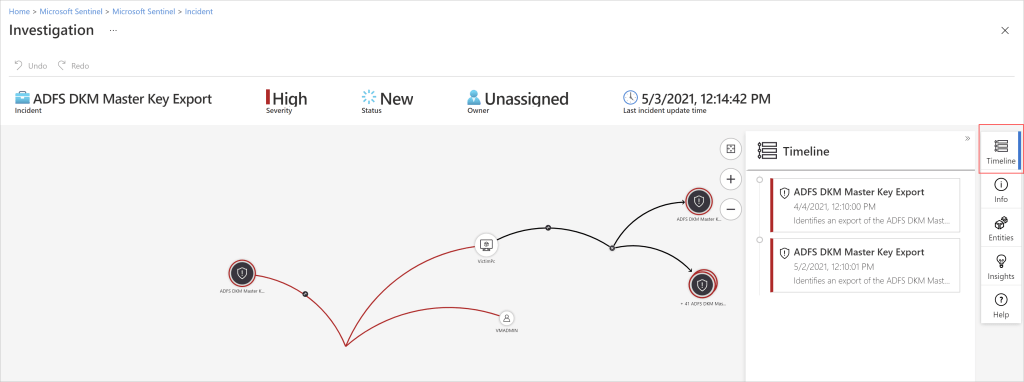
Sentinel uses AI‑powered investigation tools to map relationships between alerts, users, devices, and activities.
Key capabilities
| Feature | Description | Link |
|---|---|---|
| Incidents | Interactive graphs help teams trace attack paths and identify root causes. | https://learn.microsoft.com/en-us/azure/sentinel/investigate-incidents |
| Hunting tools | Proactively search for suspicious activity using MITRE‑aligned queries. | https://learn.microsoft.com/en-us/azure/sentinel/hunting |
| Notebooks | Use Jupyter notebooks for advanced analytics, ML, custom visualizations, and external data sets. | https://learn.microsoft.com/en-us/azure/sentinel/notebooks |
5. Respond to Threats Automatically
Sentinel includes automation and orchestration capabilities through Azure Logic Apps.
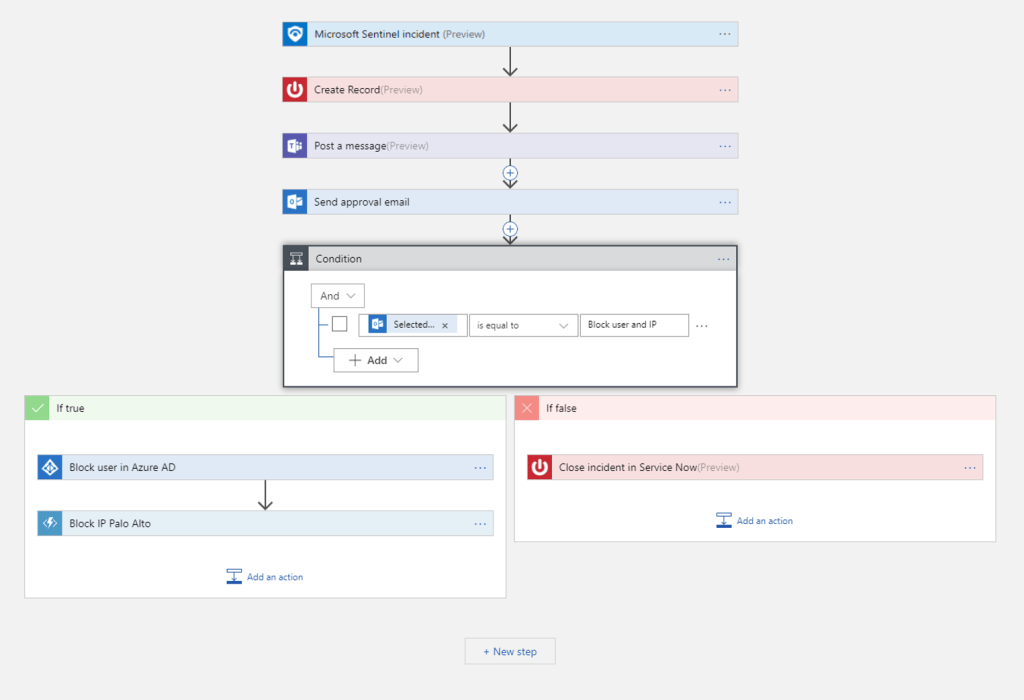
Key capabilities
| Feature | Description | Link |
|---|---|---|
| Automation rules | Centralize and coordinate incident-triggered automation. | https://learn.microsoft.com/en-us/azure/sentinel/automate-incident-handling |
| Playbooks | Run workflows automatically or on demand, integrating with systems like ServiceNow, Jira, and more. | https://learn.microsoft.com/en-us/azure/sentinel/playbooks |
Full list: https://learn.microsoft.com/en-us/azure/connectors/apis-list
6. Portal Transition: Azure Portal → Defender Portal
Microsoft Sentinel is fully available in the Defender portal, even without an E5 or Defender XDR license.
Key dates
- After March 31, 2027: Sentinel will no longer be supported in the Azure portal.
- New customers from July 2025 will be redirected or auto‑onboarded to the Defender portal depending on their permissions.